

Dell has just released a 7-in-1 USB-C travel hub, the DA326. In fact, when we first saw it, we can't help thinking:
"Is it just an adapter? Or should we call it a DOCK?"
After diving into the DA326, we've found out that, it's almost a dock. And in some aspects, it performs even better than a traditional docking station.
Follow our review, and you'll know why.
Why It's Almost a Dock
The DA326 is a USB-C hub/adapter. Well, Dell defined this. From its actual performance, we're sure that it will be a big challenge to those entry-level docks in the market.
1. Powerful video capability
What do you think the hub/adapter is like in your mind?
If I'm not mistaken, most of them are stick-shaped, with some USB-A or USB-C ports, and a USB-C cable on one side. At most, one more HDMI interface would be sufficient. Like this:
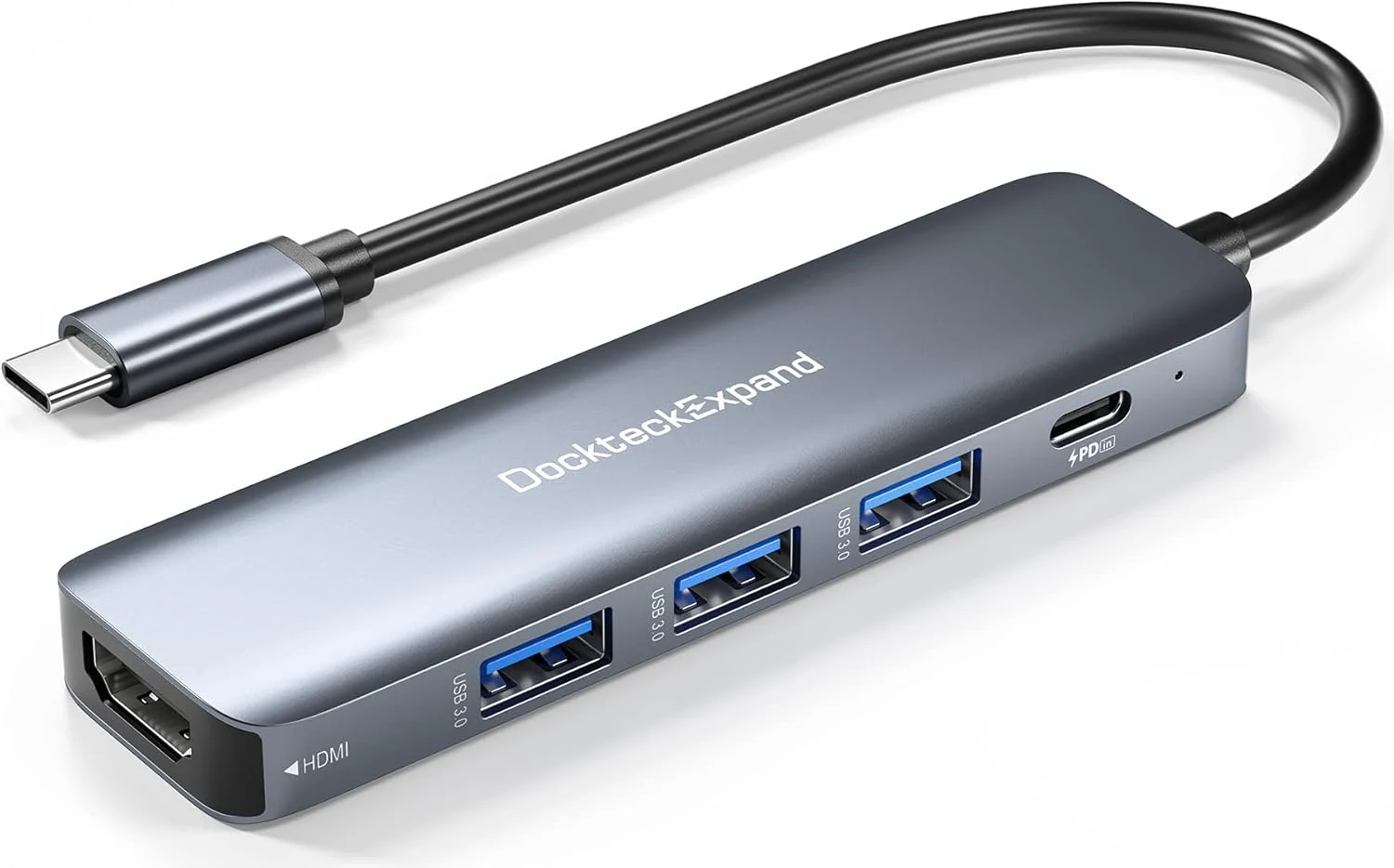
Some more advanced models, like Dell DA310 and DA305, have 2 or 3 video ports, while only one works at a time. To understand the underlying USB-C and DisplayPort technology, see our Thunderbolt vs USB-C guide.
The DA326, on the other hand, is a bit different. It not only has 3 video ports(HDMI, DP, USB-C), but any 2 of them can work concurrently.
If that's all, the video capabilities of DA326 are not particularly outstanding. What's even more astonishing is the video bandwidth. It supports up to single 6K display or up to two 4K displays:
- 1 x HDMI 2.1 up to 6K @60Hz
- 1 x DP 1.4 up to 6K @60Hz
- 2 x 4K @60Hz (any 2 from DA326 video ports)
For comparison, the Dell Pro dock WD25 has 4 video ports and can support up to 4 x WQHD (3440x1440) @60Hz. However, when connected to a single display, it outputs up to 6K @60Hz, just like the DA326.
At this point, we must consider a practical problem: How many people need to connect 4 external monitors simultaneously to their laptops?
It is obvious that DA326 can already meet the needs of most usage scenarios.
2. Sufficient power delivery
You don't want to take another power adapter while using an adapter. The good news is that, DA326 supports PD Pass Through:
- Up to 130W in & 100W out (Dell-on-Dell)
- Up to 100W in & 85W out for non-Dell
Such power delivery is already sufficient for most commercial laptops. Take WD25 as an example: Just like DA326, it also supports 100W PD and can provide sufficient power for most Dell non-workstation laptops.
With PD Pass Through, you can use the DA326 as a power adapter for your laptop. There're 2 use cases:
-
Via USB-C power adapter.
You can connect the laptop's power adapter to DA326's USB-C port, then the DA326 will pass the power to the laptop.
-
Via USB-C monitor.
Some USB-C monitors support PD when connected to USB-C ports. They can serve as a power adapter to charge your laptop.
DS326 is the world’s first travel hub with Smart Power Management,equipped with embedded smart technology that rebalances power based on real-time device consumption, ensuring efficient power use and preventing overconsumption.
3. Useful enterprise features
Unlike ordinary USB hubs, DA326 is equipped with many useful enterprise features, such as:
- MAC address passthrough
- PXE boot
- Wake on LAN
Home users may not need these features, but for those who are working in an enterprise environment, they are essential.
Where DA326 Does Even Better Than a Dock
Dive deeper, you'll find that DA326 has some advantages over traditional docks.
1. Better compatibility
Docks are commonly designed for select laptop models, so their compatibility is limited. This is why we built this website.
You can --
- search the compatibility by model names
- find all laptop models
- explore detailed specifications of all docks
in our database.
However, adapters/hubs normally use a lightweight design, which means they can be used with more devices.
Dell used to have a universal dock, named UD22. The best merit of it is that it supports multiple operating systems, including Windows, macOS, Linux, and Chrome OS. But DA326 does even better, as it supports almost any operating systems and corresponding devices you may use:
- Windows
- macOS
- Linux
- Chrome OS
- Android
- iOS
- iPadOS
2. Better user experience
Compare with a dock, DA326 is smaller, lighter, and more portable. It's a great choice for those who want to take it with them everywhere.
DA326 features a sleek design and can be easily placed in a backpack or handbag, allowing it to be carried along with laptops, tablets, and other devices.
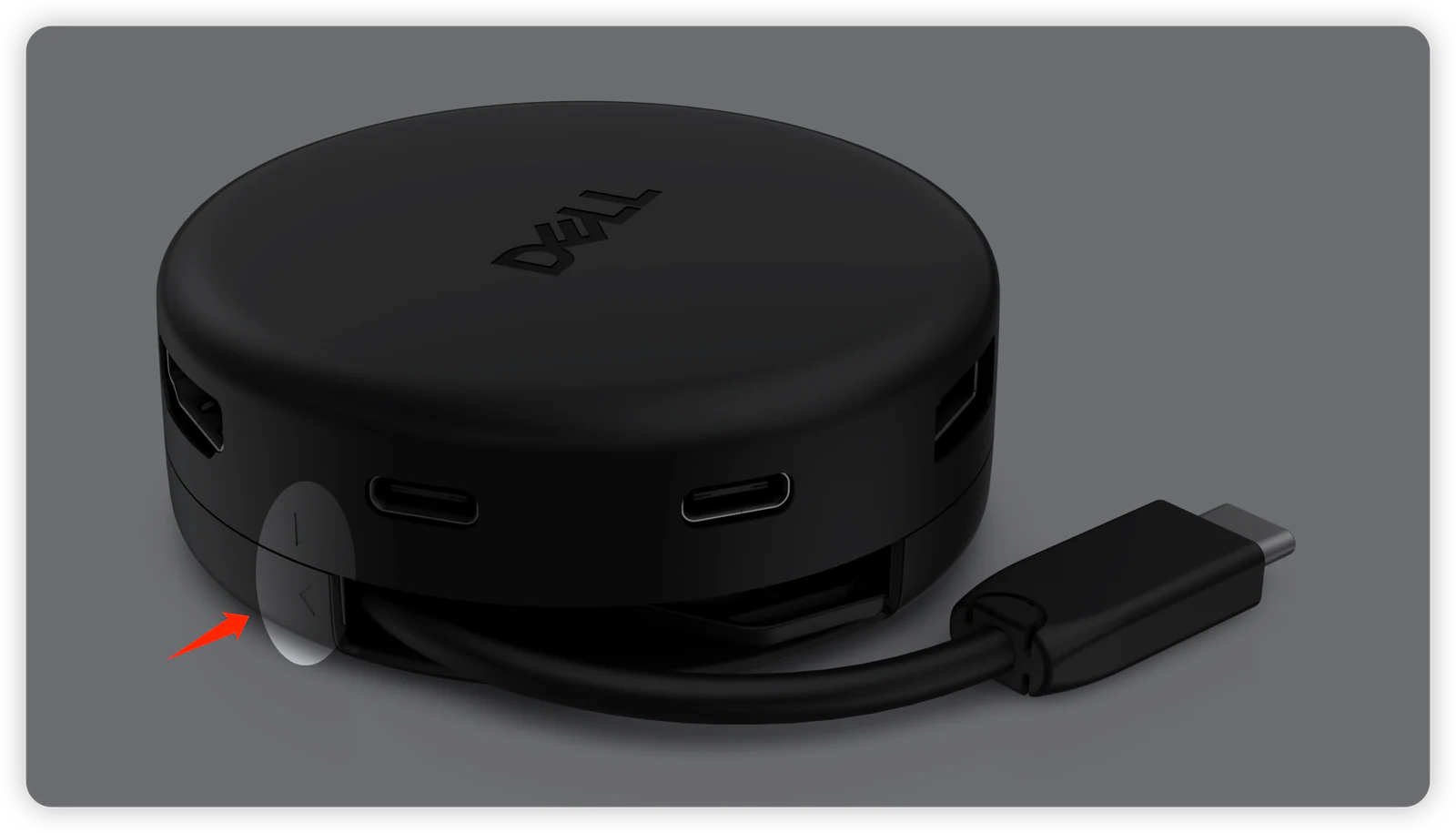
DA326 also incorporates a rotating cable management system. By simply rotating, you can pull out cables of different lengths. When not in use, the USB-C cable can be fully retracted into the slot. This design makes the desktop cleaner and more aesthetically pleasing.
DA326 vs Docks: Which should you buy?
Now, it's time to make the final decision. From the details we've discussed, you should have a clear idea of what you need.
Here's our suggestion.
If you travel frequently, or need to carry it with you, or if you don't have particularly high demands for expansion capabilities, then we would recommend that you purchase the DA326.
If your device hardly moves, then a dock might be more suitable for you, especially as they offer greater expandability and more stable performance.
For a complete comparison of Dell docking stations, see our guide to choosing the right Dell dock.
High-performance users can purchase the Thunderbolt 4 docking station WD25TB4/SD25TB4, or even further, choose the Thunderbolt 5 docking station WD25TB5/SD25TB5 which is oriented towards future technologies.
Travel hub alternatives: Compare all three Dell travel hubs side by side in our DA326 vs DA310 vs DA305 comparison. For the older two-way comparison, see our DA305 vs DA310 guide.