

Update:
The compatibility of Dell XPS DA14260 and DA16260 has been added to our database. You may try to search on our Laptop-Dock Compatibility Checker, or visit following pages directly to find their compatible docks.
Dell has launched two new XPS laptops: the XPS DA14260 and DA16260. While the official compatibility chart has not yet been updated to include these new models, we've done some research and identified the recommended dock options for them.
Non-Dell laptop users: Wondering if Dell docks work with your HP, Lenovo, or ASUS laptop? See our cross-brand compatibility guide.
Specifications of DA14260 and DA16260
According to the manuals available on Dell Support, both the DA14260 and DA16260 come with a 100W AC adapter. This means they can be powered by a docking station that supports up to 100W power delivery.
We also found that both models feature three Thunderbolt 4 ports. Since Thunderbolt 4 supports video, data, and power transmission, these two laptops should be compatible with most Thunderbolt 4 and USB-C docks.
Based on this, we expect that most Dell docks offering 100W or higher power delivery — including the new Dell Pro docks (WD25, WD25Z, WD25TB4, WD25TB5, SD25, SD25TB4, SD25TB5) — should work well with the DA14260 and DA16260.
Dell Pro dock family: Not sure which Dell Pro dock is right for you? See our WD25 vs WD25Z vs SD25 comparison and WD22TB4 vs WD25TB4 vs SD25TB4 comparison for a detailed breakdown.
Recommended Dock from the Dell Product Brochure
While we are still waiting for the official compatibility chart to be updated, there is one dock already recommended by Dell in its product brochure: the Dell Pro Dock SD25TB4.
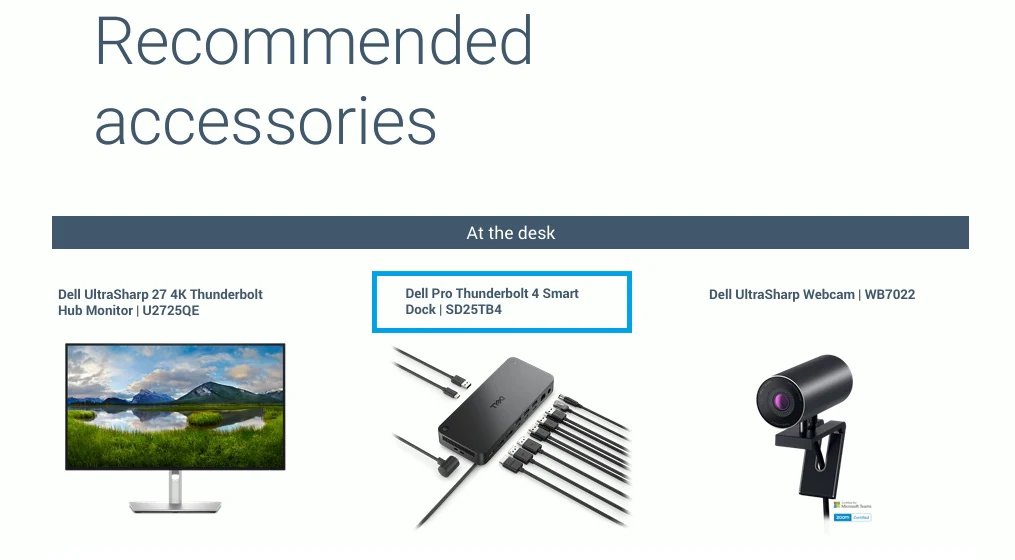
The SD25TB4 is a Thunderbolt 4 dock with 130W power delivery. It is a smart dock that can connect to a network via Wi-Fi and be managed remotely without needing to be connected to a PC.
You can find more information about the SD25TB4 on the page of specifications. It is also available for purchase on Amazon.
If your region also lists the WD25TB4, it's the same dock without the management layer — but check the listing before assuming it's cheaper. We've seen it priced at or above the SD25TB4, and in several markets it isn't sold at all.
Comparing dock options? See our WD22TB4 vs WD25TB4 vs SD25TB4 comparison for all Thunderbolt 4 dock options.
Please note that we are monitoring the compatibility chart and will update this article, as well as our laptop database, once the chart is revised. Feel free to check back anytime for the latest compatibility status.