WD22TB4 with 130W Power Delivery
Complete docking station specifications and compatibility details
193 compatible laptop models
Purchase from AmazonDocking Station Details
Complete specifications and features
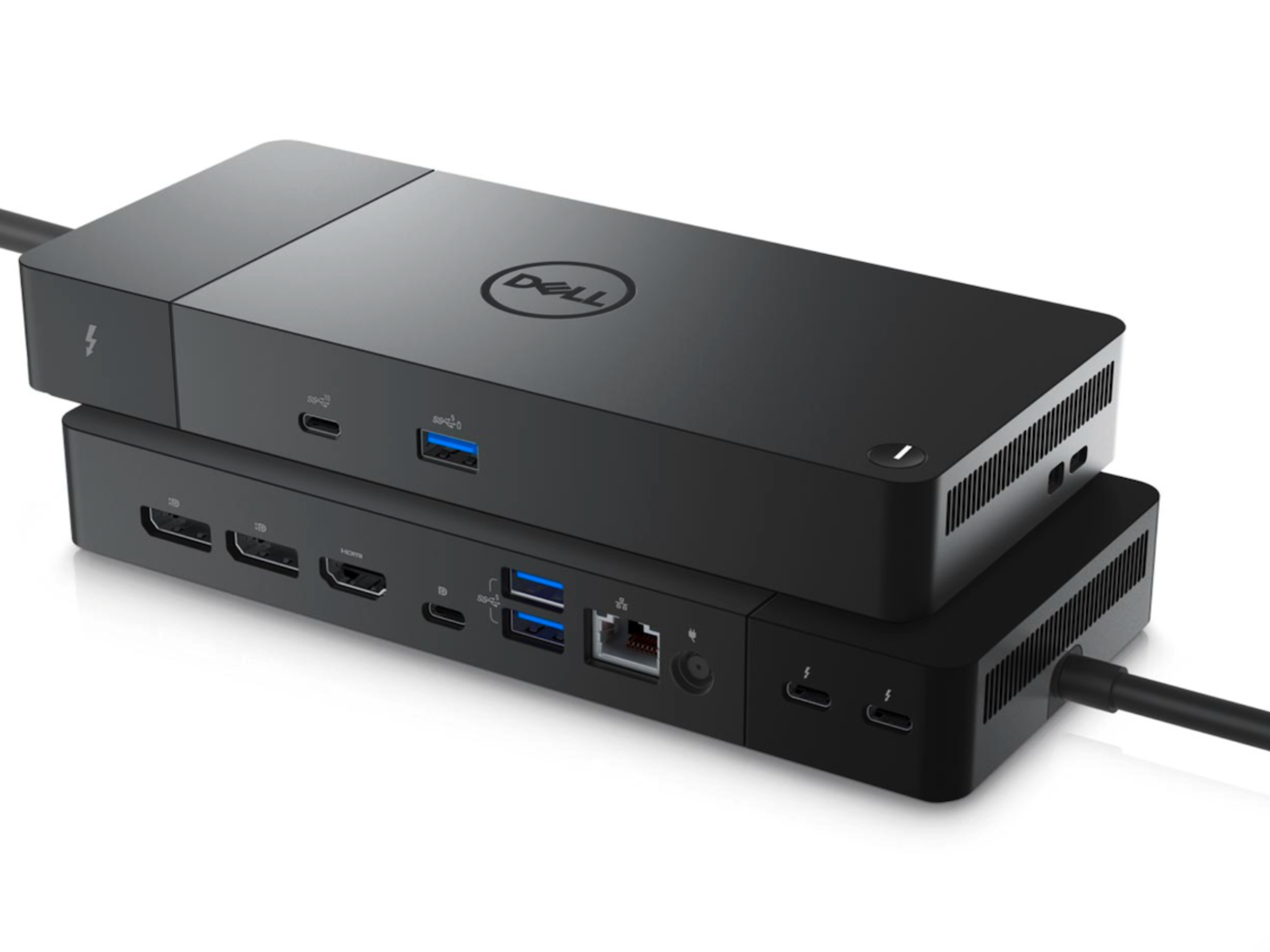
Dell WD22TB4 is a Thunderbolt 4 docking station designed for professional and enterprise users. It supports advanced multi-display configurations with DisplayPort 1.4 and HDMI 2.1, provides comprehensive USB expansion, Gigabit Ethernet, and delivers up to 130W power to Dell commercial notebooks through a single Thunderbolt 4 connection.
Specifications
Display Support
- 📺Without DSC:
- •Max: 5K @ 60Hz
- •4 x QHD (2560x1440) @ 60Hz
- •3 x WQHD (3440x1440) @ 60Hz
- •2 x 4K (3840x2160) @ 60Hz
- •1 x 5K WUHD (5120x2160) @ 60Hz
- 🎯With DSC:
- •4 x 4K (3840x2160) @ 60Hz
- •3 x 4K (3840x2160) @ 60Hz
- •2 x 6K (6144x3456) @ 60Hz
- •1 x 8K (7680x4320) @ 60Hz
Video Interfaces
- •displayport: 2 x DisplayPort 1.4
- •hdmi: 1 x HDMI 2.1
- •usb c display: 1 x USB-C 3.2 Gen 2 (DisplayPort 1.4 Alt Mode)
- •thunderbolt: 2 x Thunderbolt 4
Ports & Connectivity
- •usb a: 4 x USB-A 3.2 Gen 2 (10 Gbps)
- •usb c: 1 x USB-C 3.2 Gen 2 (10 Gbps)
- •note: USB-A ports can deliver power even without a notebook attached
Power & Connection
- •adapter: 180W AC Power Adapter
- •power delivery dell: Up to 130W
- •power delivery non dell: Up to 96W
- •Connection: Thunderbolt 4 (USB-C connector)
- •Cable Length: 0.83 m
Compatible Laptops
Verified compatibility with Dell laptops
Full Compatibility
157 modelsPartial Compatibility
36 modelsFrequently Asked Questions
Find answers to common questions about WD22TB4 with 130W Power Delivery
The number of displays that can be connected is limited by multiple factors including CPU, GPU, interface capabilities, and data transfer rates, not just the docking station itself. This is a multi-faceted limitation rather than a single constraint imposed by the docking station alone.
Smart Docking (SD series) is Dell's new docking station lineup introduced in 2025. Building upon traditional docking stations, it adds features such as wireless connectivity and remote management capabilities. Smart Docking can receive firmware updates independently, without requiring connection to a host computer.
Still have questions? Contact us for more information.